Route Weather
Check radar and forecast points along the drive.
 DriveWindow
Traffic & Weather Tracker
DriveWindow
Traffic & Weather Tracker
Route monitoring before you go
DriveWindow watches traffic, ETA, and weather for your saved routes, then gives clear leave-time cues before you head out.
Weather on the way
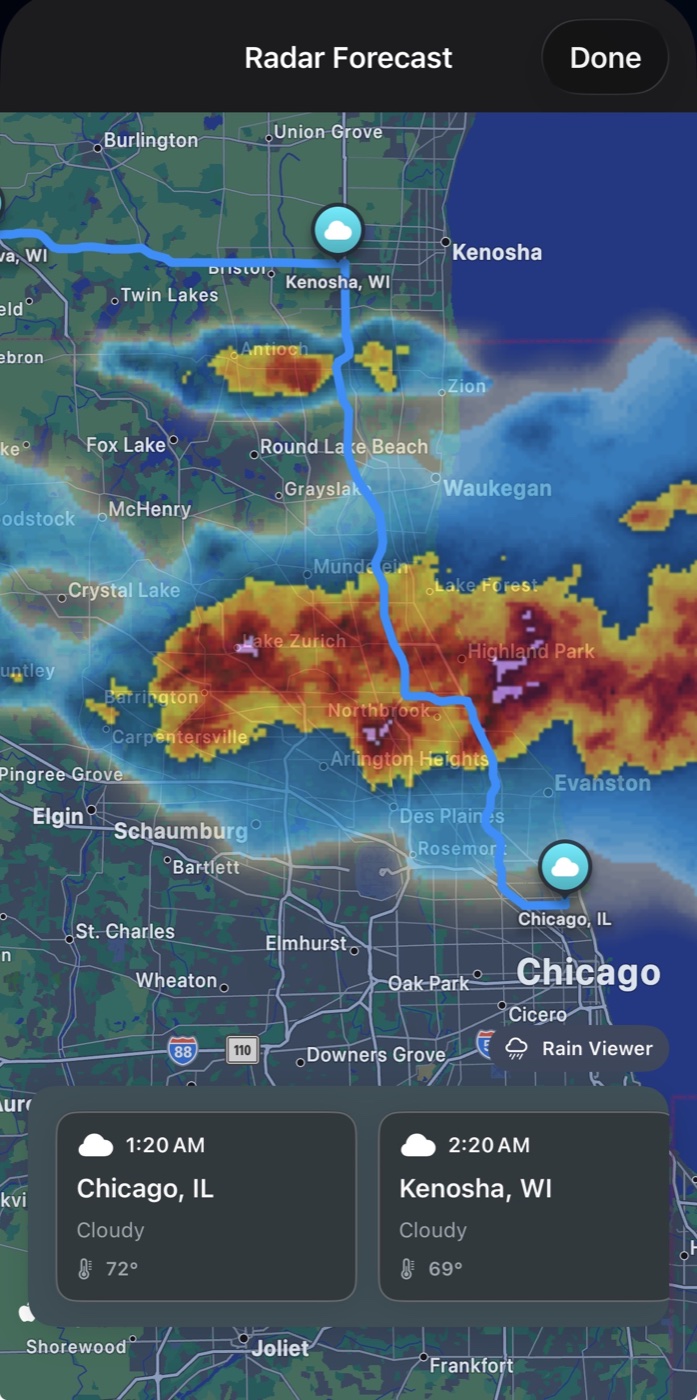
Radar and forecast points follow the drive, not just the destination.
Built for the decision before the drive
Save the drives you care about, monitor changing conditions, and leave when the route makes sense.
Check radar and forecast points along the drive.
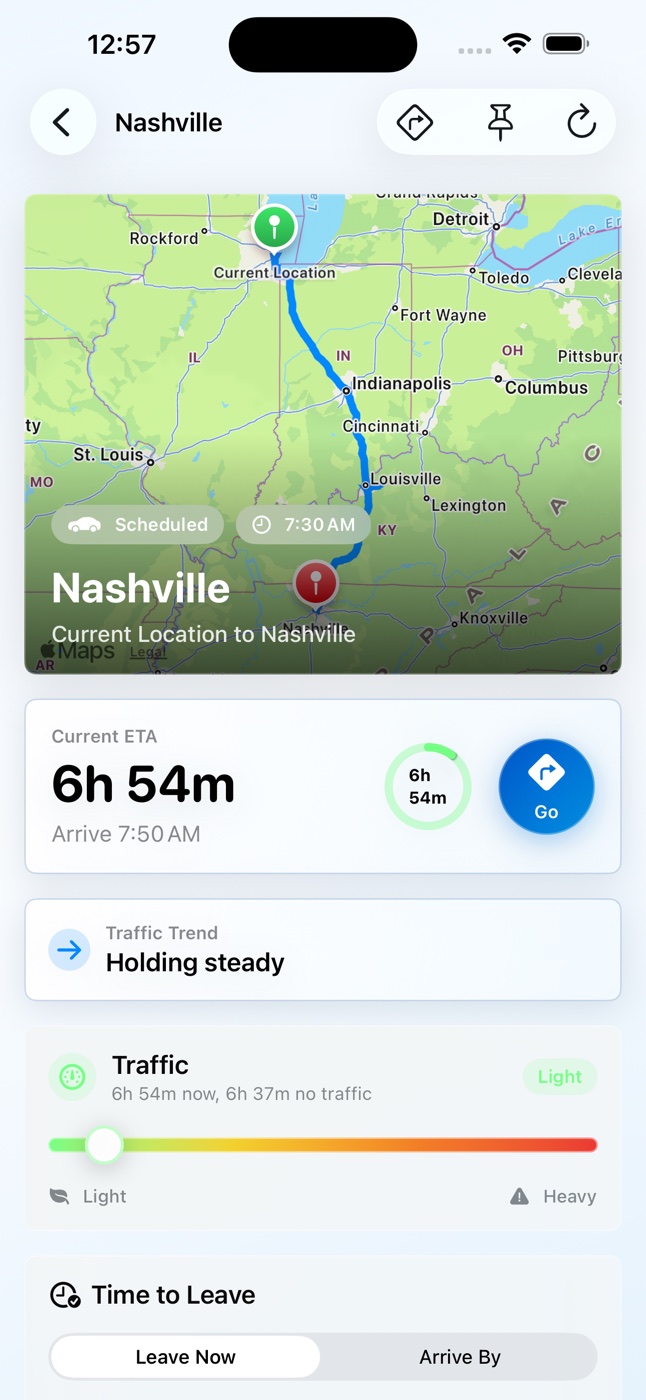
Track ETA, delay, distance, and traffic severity.
See whether to leave now or wait for a better window.
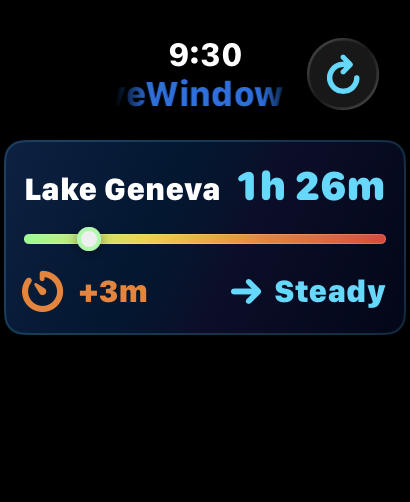
Check ETA and traffic from your wrist.
Coming soon. Navigate with CarPlay.
Your route watchlist
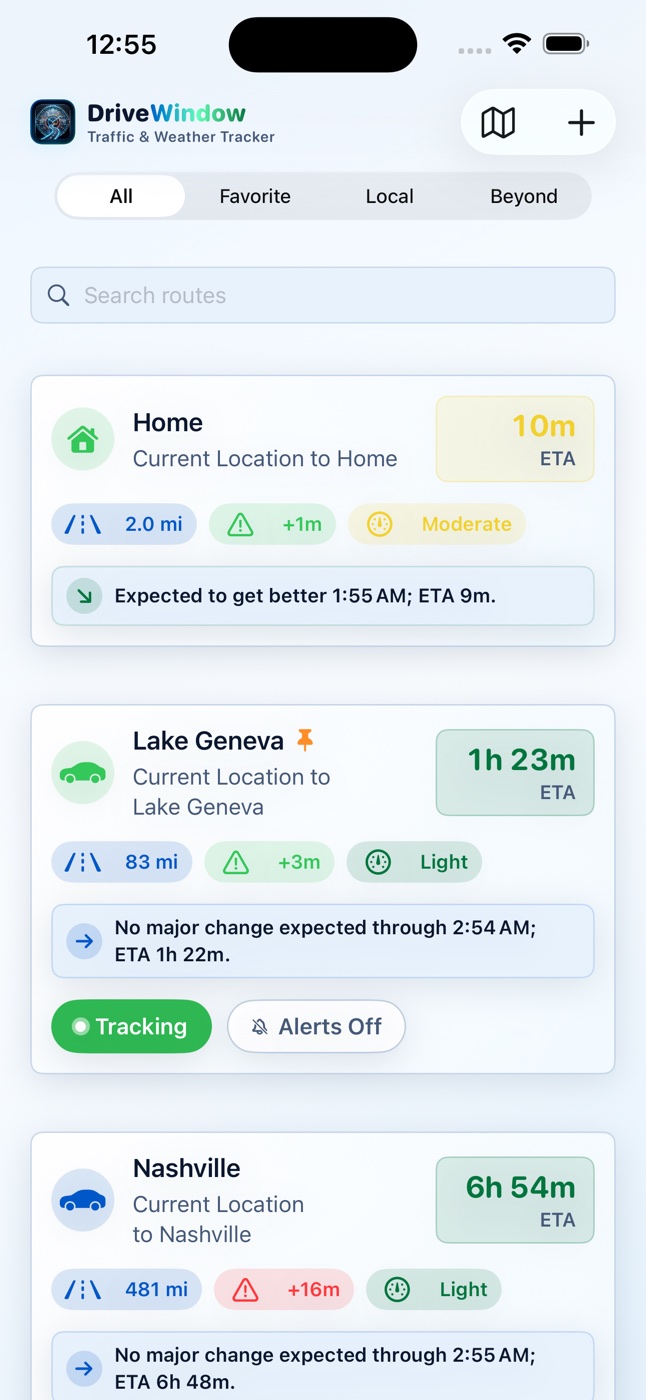
Save frequent destinations, compare ETAs, and see which routes need attention before you leave.
Weather along the route
Radar and forecast cards follow the road, helping you avoid surprise weather between here and there.
Lock Screen Live Activities
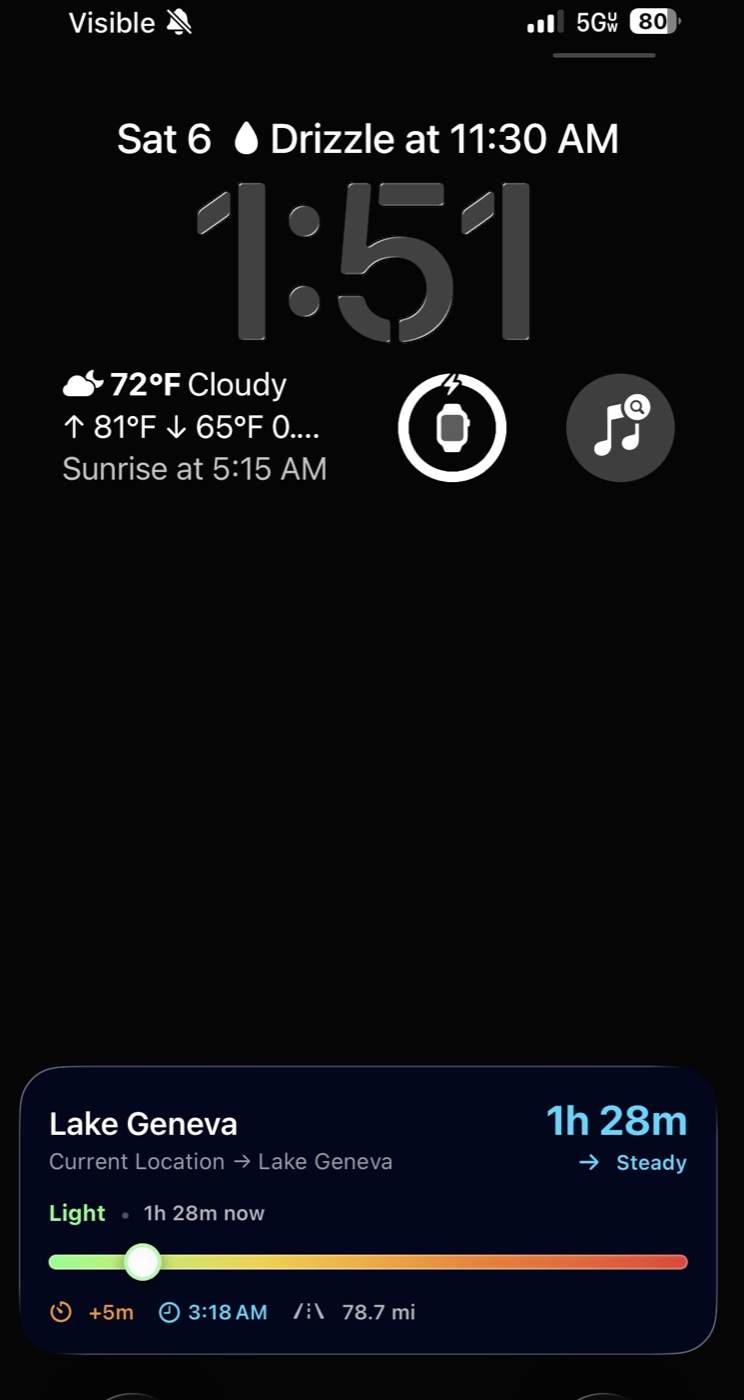
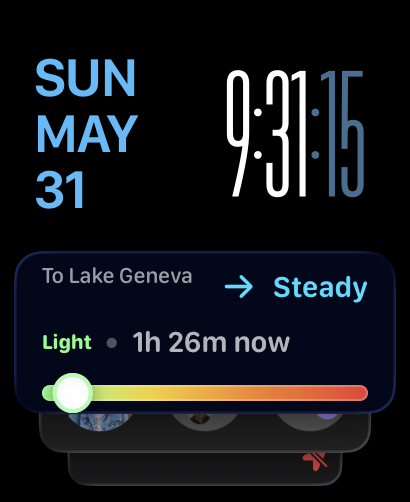
Pin a route and watch ETA, traffic level, delay, arrival time, and distance from the Lock Screen.
Platform support
Use Apple Watch today for quick ETA and traffic checks, with CarPlay support coming soon for an easier in-car view.
CarPlay support is coming soon for a cleaner in-car DriveWindow experience.
Screenshots
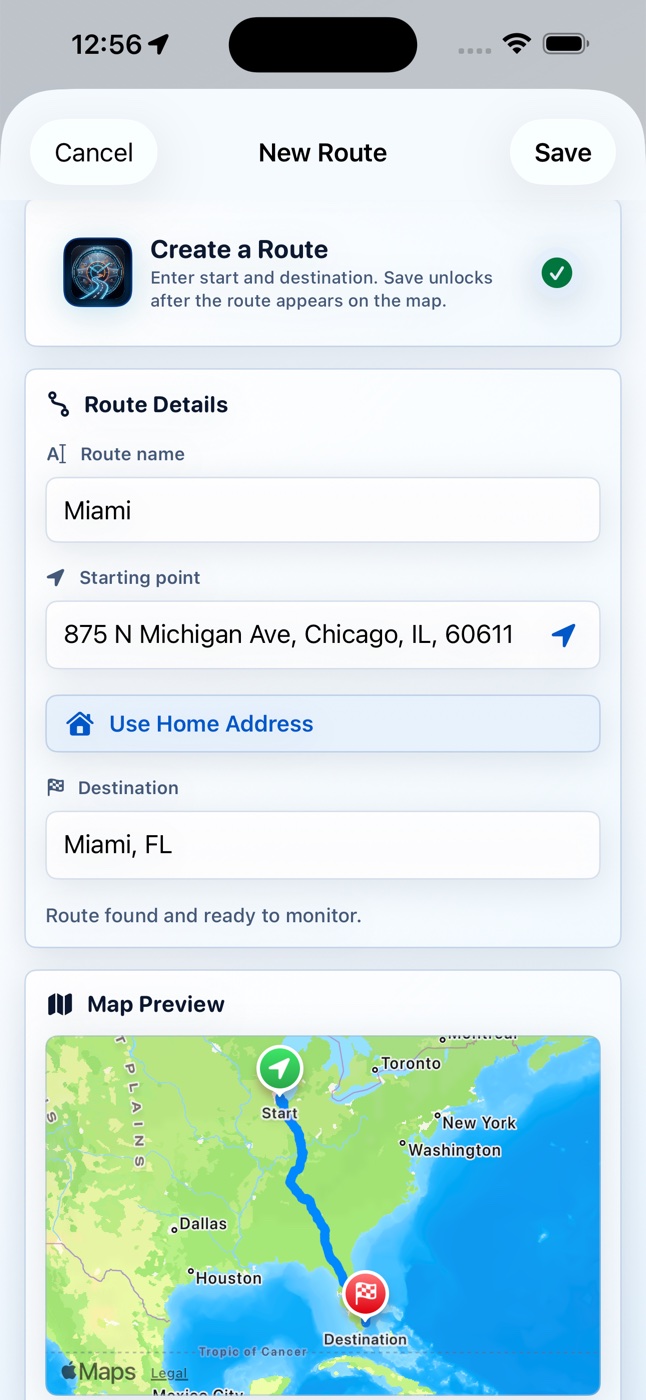
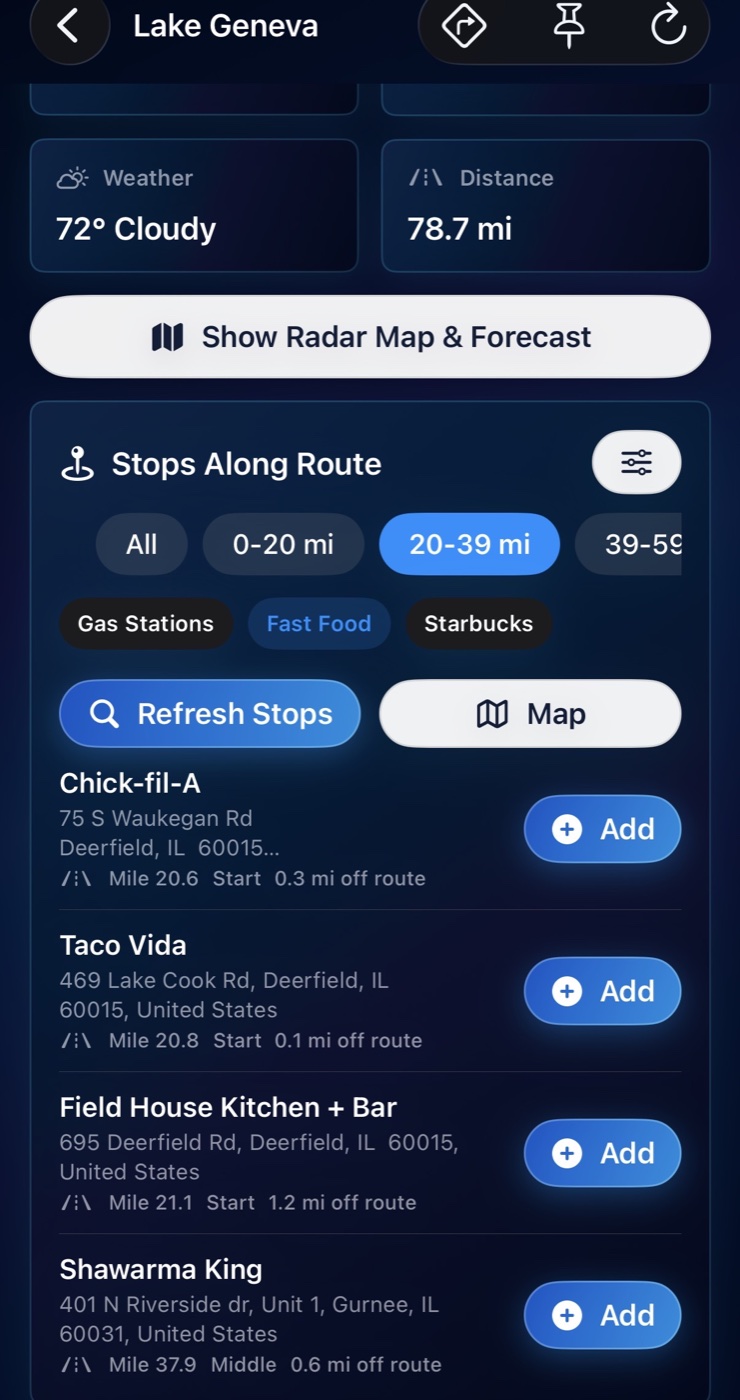
Dashboard, route detail, weather, stops, and setup screens designed for fast pre-drive checks.
Privacy Policy
DriveWindow: Traffic & Weather Tracker is built to help you plan safer, smarter drives while keeping your route data simple and understandable.
DriveWindow is designed primarily as an on-device route planning, route monitoring, traffic alert, and route weather tool. RSquared Apps does not sell, rent, or trade user personal data. The app uses saved route information and Apple system services to provide traffic, ETA, location, notification, Live Activity, widget, and Apple Watch features.
DriveWindow may store information locally on your device so the app can function, including:
Unless a future version clearly states otherwise, RSquared Apps does not receive or maintain saved route information on its own servers.
DriveWindow may request location access when you create or monitor a route that starts from your current location, calculate directions, preview route weather, search for stops, or use route-related features.
DriveWindow may rely on Apple frameworks and system services, including MapKit, Core Location, local notifications, ActivityKit, WidgetKit, and Watch connectivity. Route, traffic, ETA, directions, weather radar, map tile, and place-search features may require requests to Apple or other selected data providers.
These services may process information necessary to provide their services, such as route endpoints, map regions, approximate or precise location, search terms, device network information, and related request metadata. RSquared Apps does not control Apple’s or other providers’ independent data practices.
If enabled, DriveWindow may use local notifications, Live Activities, widgets, and Apple Watch sync to display route status, ETA, delay, traffic trend, weather summary, distance, alert requirements, and similar route information.
DriveWindow is not designed to sell personal data, use advertising identifiers, or use user information for behavioral advertising.
Information stored locally remains on your device until you delete or change it in the app, delete the app, or erase/reset your device.
You can delete routes, disable notifications, disable location, stop Live Activities, or delete the app through iOS and app settings.
DriveWindow is not directed to children under 13 years of age. RSquared Apps does not knowingly collect personal information from children. If you believe a child has provided personal information to RSquared Apps, contact RSquared Apps so appropriate steps can be taken.
RSquared Apps may update this Privacy Policy from time to time. Updates will be posted on this page with a revised effective date.
For privacy questions, contact RSquared Apps at rsquaredsupport@gmail.com.
Terms and Support
These terms govern your use of DriveWindow: Traffic & Weather Tracker, an iOS mobile application developed by RSquared Apps.
Add a starting point and destination, or use Current Location as your start. DriveWindow calculates route details and saves the drive to your dashboard.
Open the radar forecast to see weather along your drive and plan around changing conditions before you leave.
Use the dashboard to review ETA, delay, distance, traffic status, and trends for saved local drives and longer trips.
Keep route status and ETA visible from your wrist. Make sure DriveWindow is installed on Apple Watch and your iPhone and Watch are paired.
DriveWindow is a convenience tool. It is not a substitute for safe driving, personal judgment, posted traffic laws, road signs, emergency alerts, weather warnings, official road closures, law enforcement directions, or real-time conditions around you.
You may use DriveWindow only for lawful, personal route planning, traffic monitoring, travel timing, and driving-related convenience purposes. You agree not to misuse the app, interfere with normal operation, attempt unauthorized access, copy or redistribute the app, or use the app in violation of applicable laws, platform rules, or third-party rights.
DriveWindow may display estimated travel times, traffic severity, delays, route trends, weather summaries, radar, nearby stops, and recommended departure windows. This information is provided for general convenience and may not reflect actual road, traffic, weather, emergency, construction, closure, pricing, business-hour, or safety conditions.
Notifications, Live Activities, widgets, and Apple Watch views depend on device settings, operating system behavior, network connectivity, background execution limits, Apple services, and third-party data sources. RSquared Apps does not guarantee that an alert, route-ready notice, traffic-change notice, or Live Activity update will be delivered, delivered on time, or remain accurate after delivery.
DriveWindow does not require a RSquared Apps account. Because DriveWindow does not provide user accounts, there is no account deletion process inside the app. You may delete locally stored app data by deleting routes where available, changing app settings, or deleting the app from your device.
Location access is used when you choose Current Location as a route start, calculate routes, monitor route status, and keep route information accurate while a monitoring window is active.
ETA and traffic information can depend on location permission, network access, route availability, and Apple mapping services. Try refreshing the route, checking your connection, or confirming the route addresses.
When alerts are enabled, DriveWindow can notify you when route conditions match your selected monitoring preferences, including traffic changes or route status changes.
Open DriveWindow and stop tracking or unpin the route. You can also manage Live Activities through iOS controls on the Lock Screen or Dynamic Island.
DriveWindow, including its name, design, interface, icons, graphics, text, software, layout, and branding, is owned by RSquared Apps or its licensors and is protected by applicable intellectual property laws.
DriveWindow may interoperate with Apple services and other data providers for maps, directions, traffic, weather, radar tiles, places, notifications, Live Activities, widgets, and Apple Watch experiences. Your use of those services may be subject to separate third-party terms, privacy policies, availability limits, data-use restrictions, and technical requirements.
To the fullest extent permitted by law, DriveWindow is provided “as is” and “as available,” without warranties of any kind. RSquared Apps is not liable for travel delays, missed appointments, fines, accidents, injuries, property damage, or reliance-based losses arising out of or related to DriveWindow.
For support, privacy questions, accessibility questions, or account deletion-related questions, contact RSquared Apps Support at rsquaredsupport@gmail.com. RSquared Apps will make reasonable efforts to respond in a timely manner, but response times are not guaranteed.
DriveWindow: Traffic & Weather Tracker
Download DriveWindow and monitor your route before you head out.